

Close Menu

    Subscribe to Updates

    Get the latest creative news from FooBar about art, design and business.

    What's Hot

    BLACKPINK’s Jisoo breaks down in tears after sincere apology

    August 9, 2026

    Iran war live: Tehran demands end to US blockade to reopen Strait of Hormuz | US-Israel war on Iran News

    August 9, 2026

    Why Charles Barkley said no to Taylor Swift’s wedding?

    August 9, 2026
    Facebook X (Twitter) Instagram
    • Home
    • Politics
    • News
    • Magazines
    Facebook X (Twitter) Instagram
    Login
    22Media22Media
    Subscribe
    • Home
    • News
      • Pakistan News
      • World News
      • Amazing News
      • Only On 22
    • Sports
    • Bussiness
    • Innovation
      • Health & Sciences
      • Technology
    • Culture
      • Crime & Justice
      • Entertainment
    • Politics
    • Magazines
    • Weather
    • Video
    • Live
    22Media22Media
    Home»Politics»Here’s how to reprint your lost CNIC/NICOP by using Pak ID app
    Politics

    Here’s how to reprint your lost CNIC/NICOP by using Pak ID app

    22febdm@gmail.comBy 22febdm@gmail.comDecember 9, 2025No Comments2 Mins Read
    Facebook Twitter Pinterest LinkedIn Tumblr Email
    Share
    Facebook Twitter LinkedIn Pinterest Email

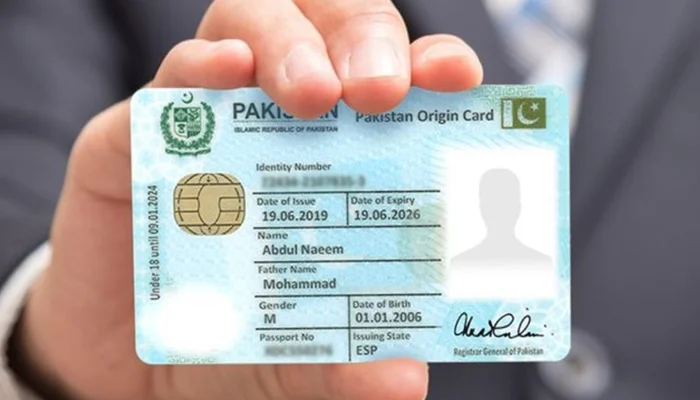
    Regarding the reprinting of misplaced Computerized National Identity Cards (CNIC) and National Identity Cards for Overseas Pakistanis (NICOP) using the Pak ID mobile application, the National Database and Registration Authority (NADRA) has released a significant update.

    The Pak ID mobile app allows residents to apply for a reprint of their CNIC or NICOP from the convenience of their homes, according to a statement and video lesson posted by NADRA on social media. All users have to do is launch the application and submit it.

    Follow these steps to apply for reprint:

    -Install the Pak ID mobile app on your phone, create an account, and sign in.

    -Open the ID Documents section and choose the ID Card option.

    -If you are applying for your own CNIC/NICOP, select Myself.

    -If you are applying for a family member (parents, spouse, siblings, or children), select My Blood Relatives.

    -Type in the CNIC number of the person you’re submitting the application for.

    -NADRA has clarified that the family member must be physically present during the application process.

    -On the next page, tap Reprint to view the application information.

    -In the Card Delivery Address field, enter the address where you want the reprinted CNIC/NICOP to be delivered.

    -You can choose to receive the card at a NADRA Centre, your permanent address, current address, or any other location you prefer.

    Read more: PMD warns of increasing cold in Karachi after December 15

    Select the processing category:

    -Executive: 7 days

    -Urgent: 12 days

    -Normal: 30 days

    Click “Start Application.” The Supporting Documents screen will appear.

    Upload your passport if applying for a NICOP, whereas no documents are required for a CNIC reprint.

    Click Next. A message stating “Application Successfully Submitted” will appear.

    After necessary processing, the “Pay Now” option will be displayed.

    Pay the required fee, and NADRA will deliver your CNIC/NICOP to the provided address within the stipulated time.

    Read more: TIP releases NCPS 2025: Public perception of corruption shows improvement

    Here is the link of video, you can watch the process:


    Share. Facebook Twitter Pinterest LinkedIn Tumblr Email
    22febdm@gmail.com
    • Website

    Related Posts

    Tom Holland reveals his childhood celebrity crush

    August 8, 2026

    Punjab announces 5,000 laptops for AJK students

    August 8, 2026

    Gold prices rise for fourth consecutive day in Pakistan

    August 8, 2026
    Add A Comment
    Leave A Reply Cancel Reply

    Demo
    Our Picks
    • Facebook
    • Twitter
    • Pinterest
    • Instagram
    • YouTube
    • Vimeo
    Don't Miss
    Entertainment

    BLACKPINK’s Jisoo breaks down in tears after sincere apology

    By 22febdm@gmail.comAugust 9, 20260

    BLACKPINK’s Jisoo breaks down in tears after sincere apologyJisoo teared up as fans shower her…

    Iran war live: Tehran demands end to US blockade to reopen Strait of Hormuz | US-Israel war on Iran News

    August 9, 2026

    Why Charles Barkley said no to Taylor Swift’s wedding?

    August 9, 2026

    Vance says US ‘destroyed’ Iran’s nuclear programme | Nuclear Weapons News

    August 9, 2026

    Subscribe to Updates

    Get the latest creative news from SmartMag about art & design.

    22Media
    Facebook Instagram YouTube WhatsApp
    • Home
    • Politics
    • News
    • Magazines
    © 2026 22Media. Designed by AleemSoft Hub.

    Type above and press Enter to search. Press Esc to cancel.

    Sign In or Register

    Welcome Back!

    Login to your account below.

    Lost password?